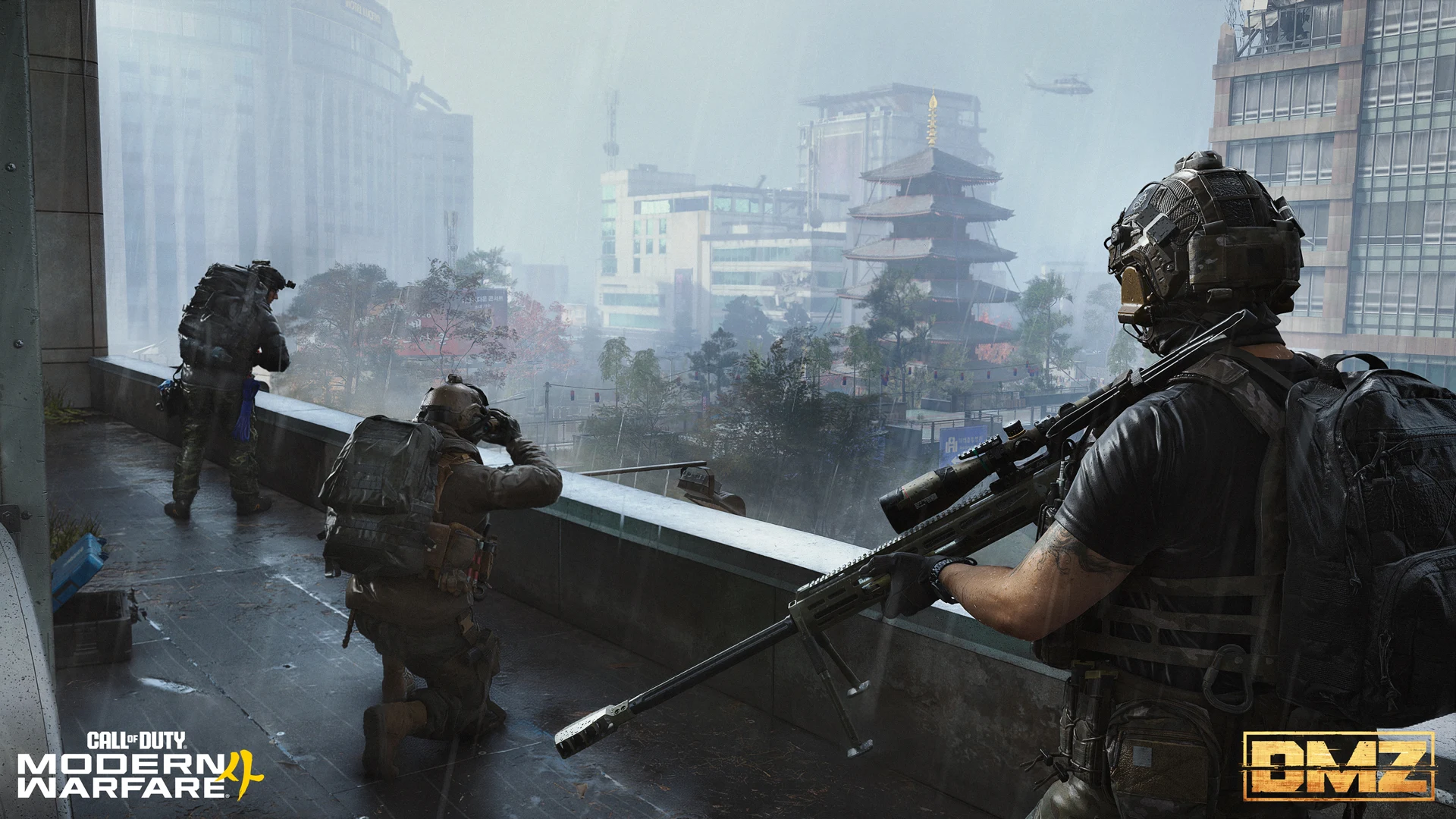
Modern Warfare 4 DMZ combines extraction combat with persistent Operators, crafting and a dedicated progression system. This guide explains how to prepare for deployment, protect your progress and tune PC settings without treating Multiplayer benchmarks as guaranteed DMZ performance.
What to Know Before Playing Modern Warfare 4 DMZ
DMZ is an extraction mode built around entering Hajin, completing objectives, collecting resources and getting your Operator out alive. What you bring home supports future deployments through equipment, crafting and progression.
Preparation has two parts: choosing equipment you can afford to lose and establishing PC settings that remain comfortable during actual DMZ gameplay. A successful Multiplayer benchmark cannot answer both questions.
This is a launch preparation guide. The graphics recommendations below are starting points to test on your own hardware, rather than a measured best-settings preset.
MW4 DMZ PC Settings: Build a Useful Baseline
Start with a repeatable baseline before changing several settings at once. Record your resolution, graphics preset and upscaling mode, then assess performance during DMZ deployments.
| Setting or task | Starting recommendation | What to assess |
|---|---|---|
| Shader preparation | Allow any required preparation to finish | Whether compilation-related hitching settles |
| Ray tracing | Begin disabled when prioritising performance | Frame times and visual differences |
| Upscaling | Start with Quality if supported | Target clarity and GPU performance |
| Balanced upscaling | Try if Quality remains too demanding | Additional performance versus image softness |
| Depth of field | Test a clearer world view | Visibility while moving and aiming |
| Frame generation | Compare separately if available | Responsiveness as well as displayed FPS |
| Graphics changes | Change one option at a time | Whether the change provides a repeatable benefit |
Prepare Shaders Before Assessing Stutter
The official PC documentation describes Advanced Shader Delivery for supported platforms. Follow the preparation prompts for your installation and check again after a game or driver update.
Shader preparation can reduce compilation-related interruptions. It does not guarantee that every hitch will disappear: memory pressure, background activity, drivers and other limits can still affect frame delivery.
If the FPS counter looks healthy but movement feels uneven, investigate frame time spikes before repeatedly lowering the graphics preset.
High FPS but Game Still Stutters? How to Fix Frame Time Spikes
Test Upscaling and Ray Tracing in DMZ
Ray tracing is documented for DMZ. Start with it disabled when establishing a performance baseline, then compare enabled settings if you have enough headroom.
Upscaling can help when GPU rendering is the limiting factor. Begin with Quality, inspect distant targets and moving objects, and try Balanced only if the additional compromise is worthwhile.
If lowering resolution barely changes performance, investigate other limits before pushing image quality lower. Overall CPU utilisation alone is not enough to diagnose a CPU bottleneck.
How to Identify a CPU Bottleneck in Modern Gaming
Why the Official 90 FPS Target Does Not Guarantee DMZ Performance
The official recommended specification targets 90 FPS in Multiplayer on High settings. The built-in benchmark runs a simulated Multiplayer sequence. Neither establishes a guaranteed DMZ frame rate.
Use that benchmark as an initial system check, then assess DMZ separately. Compare several deployments because locations, encounters and match conditions vary.
Modern Warfare 4 PC Trailer, Tech Updates, and More
Persistent Operators, Traits and MIA Recovery
Your Operator develops across deployments. Successful runs build a character whose Traits can become valuable enough to influence which missions and equipment risks you take.
Equipment and Operator development are separate. Recovering an MIA Operator preserves their selected Traits, but does not return their lost gear.
| Trait Tree | Main focus | Role to consider |
|---|---|---|
| Warfighter | Combat and survivability | Direct engagements |
| Scout | Looting, detection and field preparation | Gathering resources |
| Survivalist | Recovery, upkeep and extraction support | Sustaining deployments |
How to Recover an MIA Operator
When an Operator becomes MIA, they cannot deploy until recovered or dismissed. Recovery uses DMZ Cash, and the cost increases with invested Trait Points.
- Open the Active Duty station at the Forward Operating Base.
- Select the MIA Operator.
- Review the recovery cost and available DMZ Cash.
- Pay to recover the Operator if you want to retain their development.
- Equip replacement gear from your inventory or choose a Free Loadout.
- Check the loadout before deploying again.
Dismissing the Operator is an alternative when you would rather recruit a replacement. Consider the value of their Traits alongside the recovery cost before deciding.
Free Loadouts Do Not Replace Operator Recovery
A Free Loadout provides equipment for a deployment. It does not pay the recovery fee or make an MIA Operator available again.
If you cannot recover your preferred Operator yet, use another available Operator with a Free Loadout to rebuild supplies and earn cash. You still risk that deployed Operator and anything collected during the run.
After recovery, a Free Loadout can also help re-equip the returning Operator without immediately committing valuable inventory.
| Loadout approach | Main benefit | What remains at risk | Useful situation |
|---|---|---|---|
| Inventory loadout | Equipment selected for the objective | Carried gear and Operator recovery costs | Planned missions |
| Free Loadout | Preserves stored equipment at deployment | Operator recovery costs and newly gathered loot | Rebuilding supplies |
Prepare at the Forward Operating Base
The Forward Operating Base, or FOB, is where you manage Operators, equipment and crafting before entering Hajin. Treat it as a preparation checkpoint between deployments.
Choose a clear purpose for the next run. Gathering ingredients, completing a mission and pursuing combat rewards may call for different equipment and different levels of risk.
Pre-Deployment Checklist
- Choose an available Operator whose Traits suit the objective.
- Review the mission requirements and expected rewards.
- Check unlocked recipes and the materials needed for your next useful craft.
- Equip suitable weapons, protection, storage and medical supplies where available.
- Use a Free Loadout if preserving inventory is the priority.
- Set Squad Fill according to whether you want random teammates.
- Review the available insertion options and any associated costs.
- Confirm the loadout and deployment plan with your squad.
Craft for the Next Objective
Prioritise equipment that solves an immediate problem, such as insufficient protection, limited carrying space or missing medical supplies. Avoid spending scarce ingredients simply because a recipe is available.
Recipe access and having enough materials are separate requirements. Check both before planning a deployment around an item.
Insertion options can also have costs or unlock requirements. Review the actual choice available to your squad rather than assuming every deployment allows a precise starting location.
DMZ Forward Operating Base Full Intel Guide
DMZ Progression and the 70-Level Track
DMZ has a dedicated 70-level unlock track alongside the overall player progression system. Its rewards include equipment, FOB stations, station upgrades and crafting recipes.
XP earned in DMZ also contributes to overall player progression. XP earned in Multiplayer or Warzone does not advance your DMZ level.
| Mode played | DMZ level progression | Overall player progression |
|---|---|---|
| DMZ | Yes | Yes |
| Multiplayer | No | Yes |
| Warzone | No | Yes, when available for MW4 progression |
If your goal is a DMZ station or recipe unlock, check the DMZ progression menu and play the activities that award DMZ XP. Grinding another mode will not advance this track.
The 70-level track is also separate from developing an individual Operator's Traits. Check which system an unlock belongs to before deciding how to pursue it.
Modern Warfare 4 Progression and Prestige
Troubleshooting Your First Deployments
| Problem | What to check | Next step |
|---|---|---|
| Operator is unavailable | MIA status | Recover them or use another available Operator |
| Recovered Operator has no equipment | Lost deployment gear | Equip inventory items or a Free Loadout |
| Multiplayer sessions do not unlock FOB rewards | Separate DMZ progression | Earn XP through DMZ activities |
| DMZ runs below the Multiplayer benchmark | Different gameplay workload | Test graphics changes during DMZ |
| High FPS still feels uneven | Frame time spikes | Investigate consistency and system limits |
| Players teleport or hits register late | Connection or server conditions | Check latency, packet loss and service status |
Keep rendering problems separate from connection symptoms. A graphics change may help local frame delivery, but it will not resolve an unstable connection. Check connection quality when the problem involves rubber banding, packet loss or delayed interactions.
How to Fix Packet Loss and High Ping in Any Online Game
Build Progress Without Overspending
- Give each deployment a clear objective.
- Keep enough cash available for a recovery you care about.
- Use Free Loadouts when rebuilding supplies.
- Match equipment spending to the mission's requirements.
- Extract when you have achieved the purpose of the run.
- Evaluate PC changes across several deployments before keeping them.
FAQ
Recovering an MIA Operator preserves their selected Traits, but their lost equipment must be replaced. Dismissing them and recruiting a replacement is a separate choice.
No. Recovery requires the DMZ Cash fee. A Free Loadout equips an available Operator and can help you rebuild supplies.
No. Multiplayer and Warzone XP do not advance the dedicated DMZ track. DMZ XP contributes to both DMZ and overall player progression.
No. It runs a simulated Multiplayer sequence. Use actual DMZ deployments to assess performance in the extraction mode.
This guide provides a starting point for testing rather than a measured optimal preset. Begin with ray tracing disabled, test a supported upscaler and assess frame times and visibility during DMZ gameplay.