HD OPTI
APP TUTORIAL
This tutorial walks you through every step to set up HD OPTI for lower latency, higher FPS, and reduced input delay built for competitive gamers.
Getting started
Choose the HD OPTI plan that matches your setup and performance goals. Boost FPS, reduce latency, and gain a competitive edge with optimisations built for gamers.
1
Download & install
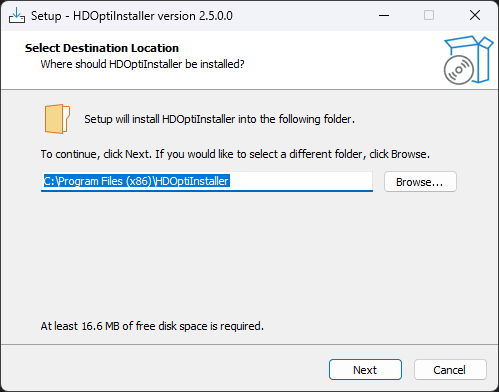
- Download the HD OPTI App from our secure server.
- Run the installer and follow the on-screen steps.
- A desktop shortcut will be created automatically.
2
Sign up & login
- Open the app from your desktop.
- Create your account using your email.
- Log in to access the dashboard.

3
Purchase
- Click Buy Now or Upgrade.
- Choose a package in the store and complete checkout.
- Your subscription key is emailed to you after purchase.

4
Redeem key
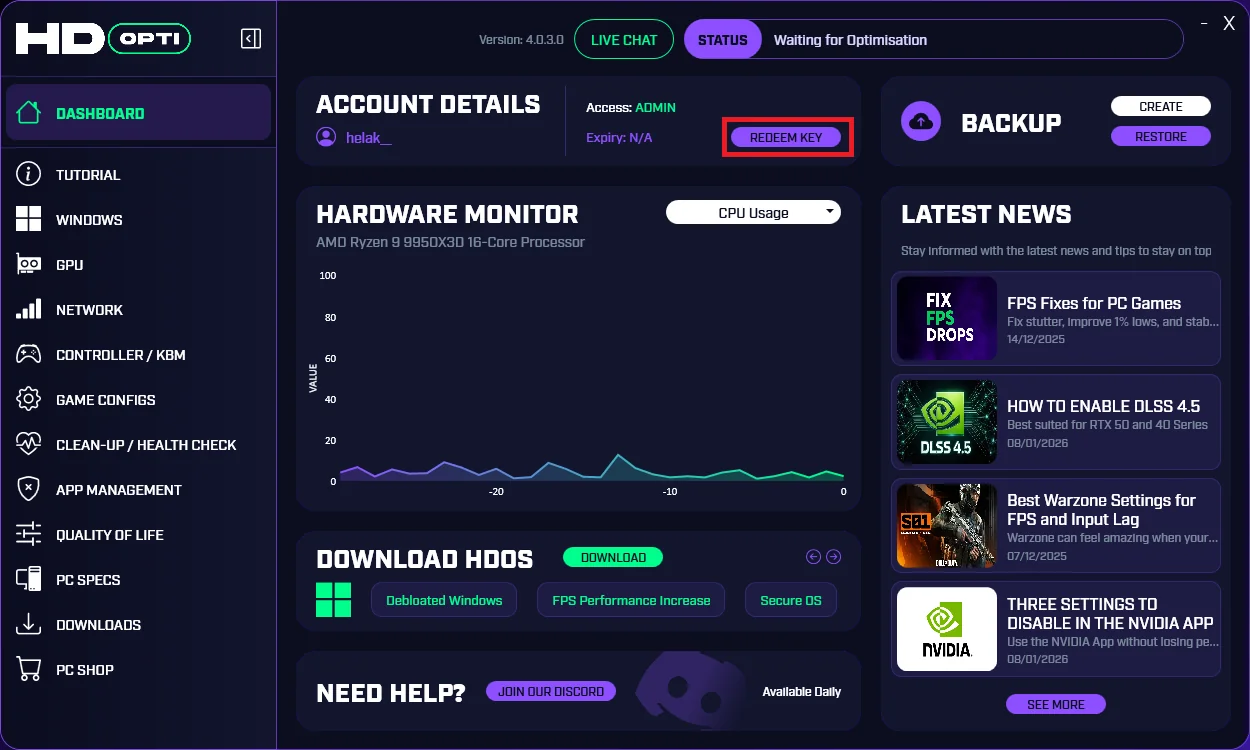
- Go to the Dashboard tab.
- Paste your key into REDEEM KEY.
- Press ACTIVATE to unlock your plan.
5
Apply optimisations
- Open the optimisation list inside the app.
- Press Apply on each section you want.
- Restart your PC if prompted.

how to use hd opti
Follow this step-by-step guide to apply HD OPTI correctly. Learn how to set up the app, redeem your key, and apply optimisations for smoother gameplay, higher FPS, and lower latency.