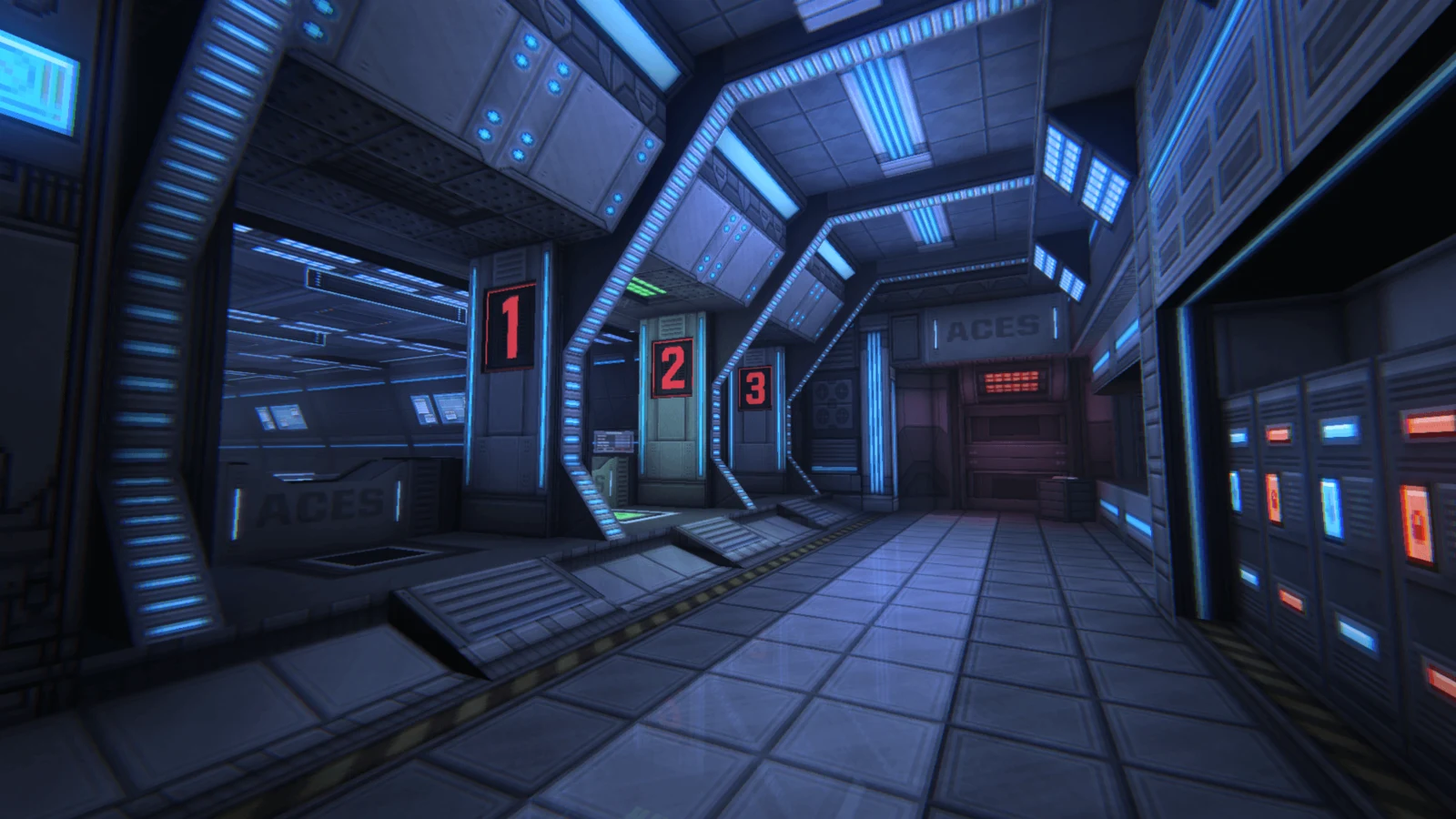
A game can become more efficient without asking you to lower its resolution. Selaco offers a practical example of how asset streaming, precomputed lighting and less repeated CPU work target different performance limits.
How a game update can improve performance
When a game hitches, changing PC settings is only one possible response. Developers can also reduce the work the game performs and manage which assets stay in graphics memory. Selaco's The Machines of War update, released on 13 November 2026, is a useful example: it changes asset streaming, lighting and AI processing.
These changes address different limits. Saving graphics memory does not establish an FPS gain, and reducing lighting cost does not establish that a traversal hitch has disappeared. This guide explains the mechanisms and gives you a comparison method; it contains no HD OPTI benchmark results.
Streaming controls what stays in memory
Selaco's revised streaming system can unload assets from VRAM when they are no longer needed. That changes how the game manages its working set without requiring you to lower the output resolution.
Texture streaming more broadly balances detail against a memory budget. A texture can have multiple precomputed resolutions, called mipmaps. A streamer can load the detail appropriate to the viewpoint and unload detail that is less useful. The exact policy depends on the engine; this is a general explanation, not a description of every part of Selaco's implementation.
A memory budget matters as well as the capacity printed on the graphics card. Windows exposes an application video-memory budget, and exceeding it can bring performance penalties or stuttering. A high memory reading alone therefore needs context: identify what your monitoring tool measures and compare it with frame behaviour before diagnosing a shortage.
Baked lighting moves calculations out of gameplay
Selaco now stores lighting calculated ahead of time in its levels. Ray tracing is used during that preparation, so the resulting baked lighting does not require ray-tracing hardware during play. Muzzle flashes and explosions still use dynamic lights, while light grouping allows switches and colour changes. Compressed lightmaps help contain the memory cost.
This illustrates why richer shadows and lower runtime work can coexist. Precomputing suitable lighting changes when the calculation happens. It is a different optimisation from reducing the number of pixels rendered. The presence of the word ray tracing does not by itself tell you whether a game traces those rays while you play.
CPU work and distant detail matter too
The update also caches more AI information, revises pathfinding and avoids drawing distant small details such as footprints and blood decals by default. These are separate routes to reducing work; an FPS change cannot automatically be credited to the memory system.
When investigating a slowdown, record CPU and GPU behaviour alongside the frame-time trace. Avoid drawing a firm CPU diagnosis from a single overall utilisation percentage.
How to Identify a CPU Bottleneck in Modern Gaming
Compare the update without changing your settings
Use the following as a proposed test, not a prediction of the result. Keep your usual resolution and rendering configuration fixed so the first comparison asks what changed in the game itself.
- Record the game version, GPU driver, hardware, resolution, graphics settings, frame cap and any upscaling or frame-generation setting. Keep background applications consistent.
- Choose a short, repeatable route. Include a quiet section, movement between areas and a repeatable combat encounter where possible. Capture them separately so a calm section does not hide a combat problem.
- Record frame times, average FPS and a consistently calculated 1% low, plus dedicated GPU-memory readings from the same tool. Note visible texture transitions and the locations of hitches.
- Repeat the route several times. Keep first-pass captures separate from subsequent passes instead of selecting only the smoothest attempt.
- For an old/new build comparison, use comparable locations and supported saves. Selaco's update changes levels and encounters and does not support previous saves, so even a familiar route is not a perfectly identical workload.
- If you have no older capture, establish a current-build baseline. Then change one available setting at a time in a separate experiment. Do not label that a measurement of the patch's improvement.
Read the results together
| Observation | Useful interpretation | Next check |
|---|---|---|
| Lower memory reading; similar frame times | Memory use changed without a demonstrated speed gain | Check image detail and repeat the same route |
| Fewer traversal spikes; similar average FPS | The route became more consistent | Check whether the improvement repeats across passes |
| Higher FPS; similar memory reading | A speed change occurred without an obvious memory reduction | Compare quiet and combat sections before assigning a cause |
| Both memory use and frame times improve | Multiple outcomes changed together | Keep the conclusions separate; this does not isolate one optimisation |
Treat this table as a way to organise observations, not a diagnosis. For a broader investigation when hitches remain, work through the frame-time guide.
High FPS but Game Still Stutters? How to Fix Frame Time Spikes
What to do before lowering image quality
Start by checking the installed game version and establishing a repeatable baseline. Compare memory use, frame times and visible detail together. If a patch improves your normal settings, keep that result separate from any later settings experiment. If it does not, the capture still gives you a clearer starting point than changing several PC and graphics options at once.
FAQ
No. Memory use and frame delivery measure different outcomes. A lower reading establishes a memory change in that test; you still need frame-time and FPS captures to establish a speed or consistency improvement.
No ray-tracing hardware is required for its baked lighting. The rays are calculated ahead of gameplay and the results stored in the level. Dynamic lights remain for effects such as muzzle flashes and explosions.
You can establish a current baseline and compare settings, but you need an older comparable capture or build to measure a before/after patch difference. Selaco's changed levels, encounters and incompatible old saves also limit how closely those comparisons can match.
No. Texture streaming manages which texture detail is loaded into memory according to the engine's policy and budget. It can change texture detail independently of the screen resolution; reducing output resolution changes the image dimensions instead.