Published: 11/6/2025
🕒 4 min read
How RAM Affects FPS, Responsiveness, and Overall PC Performance
RAM isn’t just “extra memory” - it’s the fast workspace your CPU uses to keep games, apps, and Windows itself responsive. When capacity is too low, modules are mismatched, or timings are loose, you can feel it as stutter, slower app launches, and lower 1% lows in games. Let’s break down how RAM actually impacts FPS and what to upgrade.
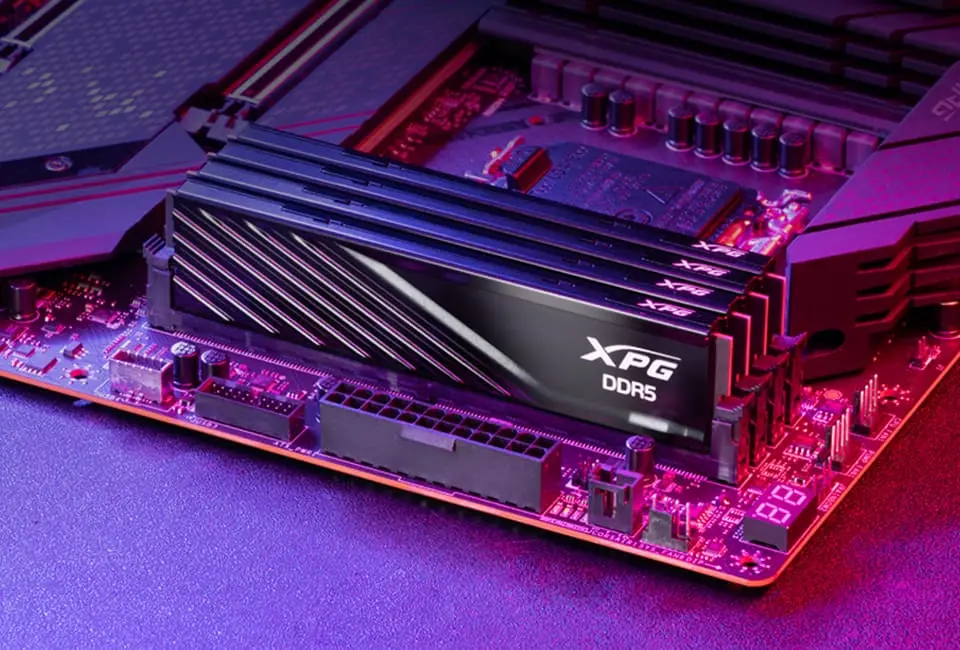
What RAM (DRAM) Actually Does
Most desktop and laptop systems today use DRAM (Dynamic Random Access Memory). Each memory cell stores data but slowly loses charge, so DRAM refreshes itself many times per second. That constant refreshing is what keeps your currently open apps, game assets, and system processes instantly available.
Because DRAM is far faster than even an NVMe SSD, the goal is to keep as much active data as possible in RAM. Once Windows runs out and has to use a page file on disk, responsiveness drops and games can stutter.
How RAM Affects FPS in Games
Games need to stream textures, audio, world data, and shaders. If your system doesn’t have enough RAM, or the RAM is slow/mismatched, the CPU can’t get that data quickly enough. Windows then starts offloading to disk, which is much slower, and that shows up as frame-time spikes, hitching, and lower 1% lows.
For 2025-era gaming, 16GB should be considered the floor, and 32GB is ideal if you stream, run Chrome/Discord, or keep a lot of background software open. Extra RAM doesn’t always raise your absolute max FPS, but it keeps FPS from dropping when the system is under load.
Three Things That Make RAM “Fast”
RAM performance isn’t only about capacity - speed, latency, and matching sticks matter a lot:
- Don’t mismatch RAM: mixing different brands, speeds, or capacities can force everything to run at the slowest common setting, or even cause instability. A matched kit runs at the advertised XMP/EXPO profile and is the safest for gaming rigs.
- Lower CAS latency (CL): CAS latency is the delay between the CPU asking for data and RAM delivering it. Lower CL (for example CL30 instead of CL40) tightens that delay, which helps with minimum FPS and overall snappiness.
- Faster clock speed (frequency): higher MHz (e.g. DDR5-6000) means RAM can move more data per second. When paired with reasonable latency, it improves throughput for games and multitasking.
Put simply: matched kit + higher frequency + lower CAS = the best scenario for keeping your CPU fed with data and avoiding stutters.
Why Multitasking and Browsers Eat RAM
Windows 11, multiple Chromium tabs, Discord overlays, launchers, RGB tools, and anti-cheat can all sit in memory at once. On an 8GB or even a busy 16GB system, opening a game on top of that can push Windows to start paging.
Upgrading to 16GB–32GB and making sure the sticks are matched lets your PC keep everything live in RAM. That’s why after a RAM upgrade people say “Chrome isn’t lagging anymore” or “Alt-tabbing from the game is instant.”
Final Thoughts – Pair Hardware Upgrades with HD OPTI
A RAM upgrade is still one of the easiest ways to make a PC feel new: you get smoother game performance, fewer background slowdowns, and better 1% lows - especially when you avoid mixing modules and pick lower-latency, higher-frequency kits.
To push performance even further, the HD OPTI PC Optimization App can automatically trim unnecessary Windows tasks, free up RAM before you launch a game, and tune the system to prioritize performance. That translates to:
- Increased FPS by reducing background load
- Lower latency for more responsive input and networking
- Less bloat from services you don’t need while gaming
- Freed-up RAM so the game gets priority
- Improved system-wide latency and steadier frame pacing
Hardware gives you the headroom - HD OPTI helps you actually use it.
FAQ
Yes - mainly for consistency. If you don’t have enough RAM or it’s mismatched/slow, Windows will use disk as virtual memory and you’ll see stutters or low 1% FPS.
For most titles, yes. But 32GB is better if you stream, mod, or run a lot of background apps while gaming.
Mixing modules can force everything to run at the slowest frequency/timings or cause instability. A matched kit is faster and safer.
First hit the right capacity (16–32GB), then tune for faster clock speeds and lower CAS latency to get the best gaming experience.
- Witcher 3 Remastered8 min read
The Witcher 3 Remastered Best PC Settings: FPS Boost & Optimization Guide
- CONTROL Resonant7 min read
CONTROL Resonant Intel Arc Performance: Driver 32.0.101.9033 Benchmark & Best Settings
- Control Resonant8 min read
Control Resonant FPS Boost: Best Settings, DLSS 4.5 & 4K Benchmarks