You try a shader tool, replay a troublesome section and the hitch disappears. That is encouraging, but the first playthrough may already have prepared data for the second. Use this comparison method to judge the experience more carefully before keeping a tweak or installing another one.
Why a smoother second run can mislead
A driver shader cache retains compiled work for reuse. Playing the baseline can therefore change the conditions for your next run. Installing a new NVIDIA driver deletes that driver's cache, so the first game session afterwards can also behave differently from an established installation.
Shader preparation targets compilation work. It cannot remove every pause associated with moving through a world. A hitch at a doorway might involve streaming or other engine work; the location alone does not identify the cause.
High FPS but Game Still Stutters? How to Fix Frame Time Spikes
Decide which experience you want to improve
Ask one question before recording anything: are you investigating the first encounter with an effect, or the performance of a game you have already played and warmed up? Keep those results separate. A test of warmed-up play does not describe what happens immediately after a cache reset.
| Test question | Record separately | What the comparison can tell you |
|---|---|---|
| First encounter | First route after a known reset or update, plus preparation already completed | How that particular first-play session behaved |
| Warmed-up play | Repeated routes after a consistent preparation period | Whether the experience remains repeatably smooth |
| Shader tool benefit | Tool state, cache history and prior gameplay for each condition | Whether the observed change is consistent with a benefit; unequal cache history limits attribution |
Treat an existing cache as having unknown history unless you have deliberately documented its starting point. Restarting the game is not evidence of an empty driver cache. Do not routinely delete a working cache just to make a tweak appear effective: removing reusable compiled work can bring compilation back.
Use a repeatable personal comparison
The following is a suggested diagnostic method, not an HD OPTI benchmark result. Use an offline or single-player section where you can repeat the same actions. If your capture setup is unavailable in a protected game, use the game's permitted tools instead of forcing an injected recorder.
- Record the game build, GPU, driver, graphics API, resolution, graphics settings, frame-rate cap and frame-generation state. Note any recent driver installation or cache cleanup.
- Choose a short route from the same save. Include the effect or transition that bothers you, and define the start and end points before testing.
- Let the game's own shader preparation finish. Record how long you played before each capture and whether the route or effects were already visited.
- Capture the unmodified experience first, including its first route. Then repeat the route three times as a separate warmed-up set, keeping the capture tool and settings unchanged.
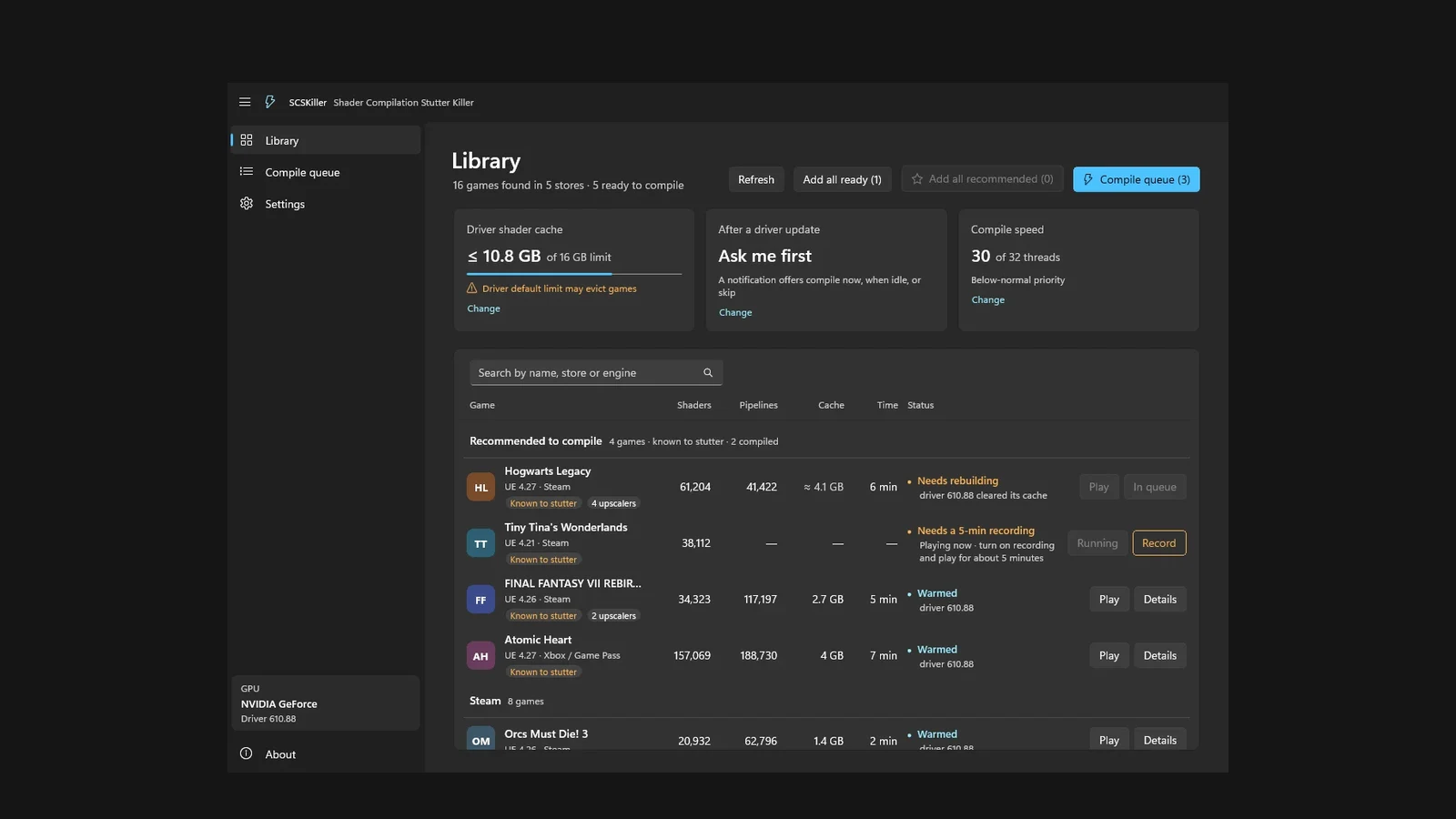
- Apply only the shader preparation change you want to assess. Keep the game closed while SCSKiller compiles, then record the same route and repeat it three times.
- Compare individual frame-time traces, visible pauses and the spread between runs. Record average FPS and 1% lows if your tool provides them, but keep the same tool and capture duration.
- Repeat the comparison on another representative section before deciding whether the preparation is useful for your normal play.
This practical sequence can reveal a useful change, but it does not isolate the tool's contribution: the baseline has already warmed caches before the prepared condition. Call the outcome a personal observation. A causal cold-cache comparison needs equivalent, documented starting conditions for both configurations; if you cannot establish those, leave the causal claim open.
SCSKiller prepares pipelines in the driver cache, and pipelines it has not found or recorded may still compile during play. Check its current compatibility documentation before testing. Its optional recorder has explicit anti-cheat warnings, including possible bans; do not use it in protected games for this comparison.
SCSKiller Guide: Reduce Shader Compilation Stutter in PC Games
Account for AMD background compilation
For affected DirectX 12 titles covered by the Adrenalin 26.9.2 background compilation guidance, allow approximately 15 minutes of gameplay before capturing steady-state performance. Exclude the first built-in benchmark run of each new session from that steady-state set. Record it separately if first-run experience is your question.
Compilation time depends on CPU performance and system load. Fifteen minutes is guidance, not a guaranteed completion time or a universal rule for every Radeon game. Keep the preparation period consistent across comparisons and avoid labelling ongoing background work as a permanent performance regression.
Read the outcome before trying another fix
| Observation | Cautious interpretation | Next check |
|---|---|---|
| A first-use effect improves on later visits | Cache warm-up may be contributing | Compare documented first encounters separately from repeated play |
| The same transition still hitches after preparation | Shader preparation has not removed that interruption | Investigate streaming and other engine work; location is a clue, not proof |
| Only one pass looks better | Run-to-run variation remains possible | Repeat the route and inspect the spread of results |
| Repeated captures improve, but memory or loading costs rise | The practical benefit may have a resource cost | Log system memory, startup time and preparation time alongside smoothness |
| No repeatable improvement appears | This test has not demonstrated a benefit | Keep the baseline and investigate another cause rather than stacking tweaks |
Include the cost of preparation
Shader preparation uses storage for cached data and takes time to complete. More cached work is not automatically better. For NVIDIA, Shader Cache Size in Manage 3D Settings limits the disk space the driver can use; too small a limit can evict useful entries. Choose capacity that fits your games and free storage rather than assuming Unlimited is required.
For your own comparison, record memory use at the same point in each route, the time needed to reach gameplay and the time spent preparing shaders. If the repeatable playing experience does not improve enough to justify those costs, stop there. A shader-focused tool is useful only when it addresses the interruptions you actually experience.
FAQ
No. Compiled work can already be reused after the baseline, so later play may benefit from cache warm-up. Document prior gameplay and compare repeated routes, while treating unequal starting conditions as a limit on attribution.
Keep ordinary troubleshooting separate from a deliberately controlled cold-cache test. Deleting reusable shader data changes the starting conditions and can reintroduce compilation. If you cannot reproduce an equivalent starting state for both configurations, do not claim a causal cold-cache result.
Only if the relevant interruption is caused by compilation that the preparation successfully covers. Streaming and other engine work can still cause pauses. A repeated hitch at the same location does not establish its cause.
No. That approximate preparation period belongs to the affected titles and driver behaviour described in the Adrenalin 26.9.2 background compilation guidance. Completion varies with CPU performance and load; record your preparation conditions rather than treating the duration as a universal rule.