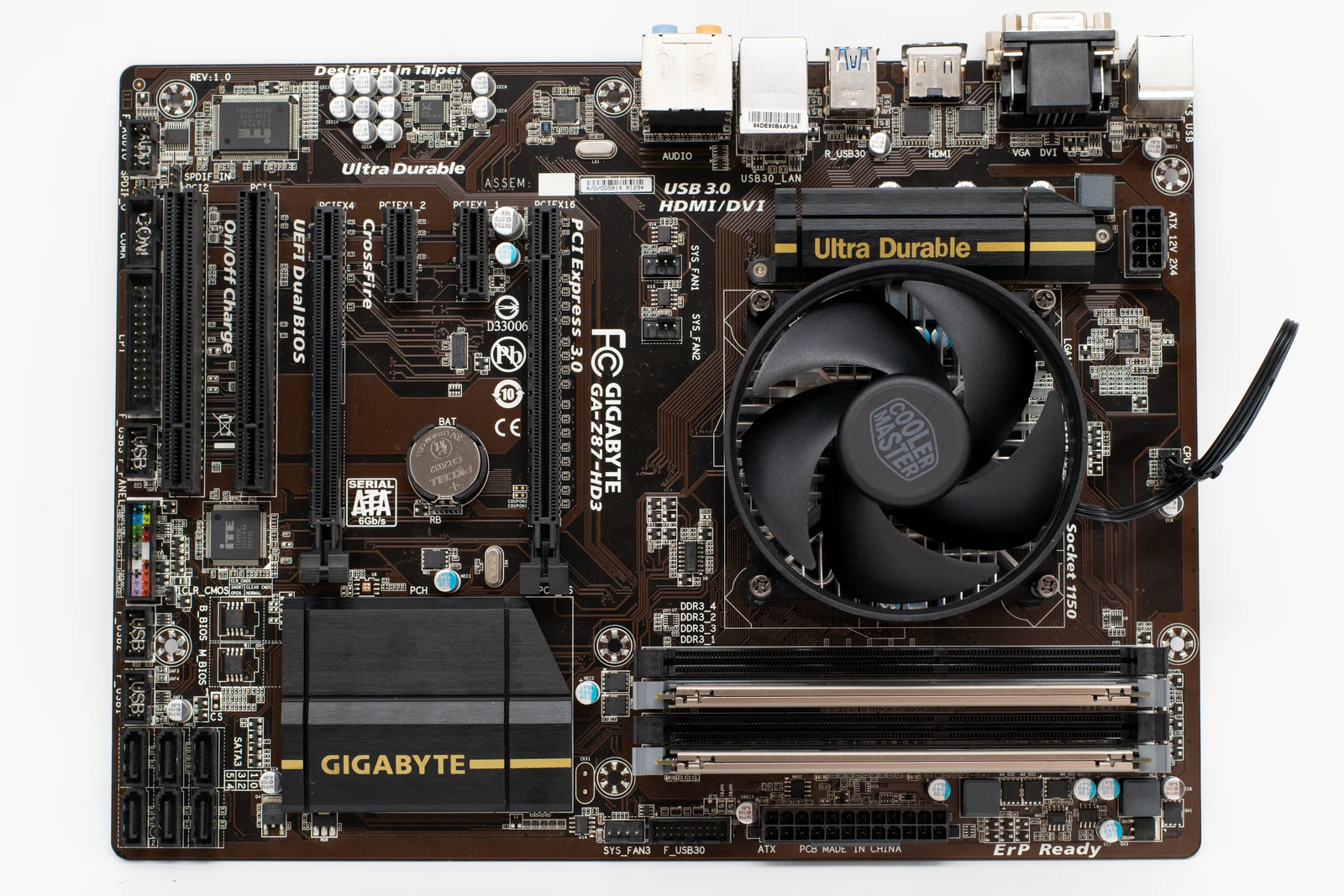
PCIe generation sounds like a major upgrade point, but real-world GPU performance does not always scale the way marketing suggests. In most gaming systems, the difference between PCIe 3.0, 4.0, and 5.0 is much smaller than expected, unless lane count, slot wiring, or platform limitations come into play.
The Truth About RTX 5090 PCIe Scaling
The main question is simple: does the RTX 5090 actually need PCIe 5.0 bandwidth to perform at its best in games? Based on current gaming data, the answer is no. In most tested scenarios, the gap between PCIe 5.0 x16 and PCIe 3.0 x16 lands around 1% to 4%, which is far smaller than many buyers expect from a flagship GPU.
That makes this more of an upgrade myth than a real gaming problem. If you already own a solid PCIe 3.0 or PCIe 4.0 platform with enough CPU performance, your RTX 5090 is not suddenly crippled just because it is not running on a full PCIe 5.0 link.
Benchmark Results: PCIe 5.0 vs 4.0 vs 3.0
Real-world gaming results show minimal separation between PCIe generations on the RTX 5090. In Dying Light 2 at 4K, the difference was roughly 1 FPS. In Resident Evil 4 at 4K, the uplift from Gen 3 to Gen 5 was only about 1.2%. F1 24 at 4K showed around a 2% lead for Gen 5 over Gen 3, while Black Myth: Wukong at 1440p was one of the larger examples at roughly 4%.
Some runs even show Gen 4 slightly ahead of Gen 5 by tiny margins, but those differences are effectively noise. A 0.3 FPS lead in one direction does not prove a real performance trend. It usually means the results are functionally tied within normal benchmark variance.
What These Numbers Actually Mean
For gaming, the RTX 5090 is still mostly limited by the GPU itself, not the PCIe bus. The card has massive on-board memory bandwidth and is not constantly saturating the motherboard interface during normal gameplay. That is why moving from Gen 3 x16 to Gen 5 x16 produces such a small change in average FPS.
This is also why most users should not plan a full motherboard and CPU upgrade just to unlock PCIe 5.0 for gaming alone. The money usually has a better return when spent on a faster processor, better cooling, or a more balanced overall system.
Intel vs AMD CPUs in 2025: FPS, Thermals & Gaming Performance Compared
How PCIe Bandwidth Works
PCIe bandwidth doubles with each new generation. That is the key reason older standards still hold up better than many people think. PCIe 3.0 x16 offers the same theoretical bandwidth as PCIe 4.0 x8 or PCIe 5.0 x4. PCIe 4.0 x16 and PCIe 5.0 x8 are also equivalent in raw bandwidth terms.
- PCIe 3.0 x16 is roughly equal to PCIe 4.0 x8
- PCIe 4.0 x16 is roughly equal to PCIe 5.0 x8
- PCIe 5.0 x16 offers about 63 GB/s of theoretical bandwidth
- PCIe 4.0 x16 offers about 31.5 GB/s of theoretical bandwidth
This is why lane count matters just as much as generation. A high-end GPU running at x16 on an older standard can still have plenty of bandwidth. Problems become much more obvious when a card is restricted to fewer lanes, such as x8 or x4.
Why Budget GPUs Can Suffer More
The RTX 5090 is fully wired for x16, which gives it a lot of headroom even on PCIe 3.0. Budget GPUs are often less forgiving. A card like the RX 6500 XT, for example, uses only four lanes. On PCIe 4.0 x4 that may be acceptable, but on PCIe 3.0 x4 the total available bandwidth drops hard, and performance losses can become much more noticeable.
In other words, flagship cards with full x16 connectivity are usually less sensitive to PCIe generation than lower-end models with limited lane counts.
Theoretical Bandwidth vs Actual Gaming Performance
Marketing often makes PCIe 5.0 sound essential for a next-gen graphics card, but gaming does not work off theoretical bandwidth alone. What matters is how much data actually needs to cross the PCIe bus in real time. In most modern games, that amount is still low enough that PCIe 3.0 x16 is not a major bottleneck for the RTX 5090.
That is why the graphics card itself is almost always the real limiter. Shader throughput, memory subsystem performance, clocks, architecture efficiency, and game engine behavior matter far more than the jump from Gen 3 to Gen 5 in typical gaming workloads.
This may change more in certain non-gaming tasks. AI and machine learning workloads can behave differently, especially when moving large datasets between system memory and the GPU more often. That was not part of the benchmark scope here, so the gaming conclusions should not automatically be applied to every compute-heavy workflow.
Will an RTX 5090 Work in a PCIe 3.0 or 4.0 Slot?
Yes. PCIe is both forward and backward compatible. An RTX 5090 will work in a PCIe 3.0 or PCIe 4.0 motherboard slot as long as the board, power supply, and physical space requirements are all met. The card will simply operate at the fastest link speed supported by the full chain of hardware.
- The GPU must support the PCIe generation
- The motherboard slot must support the PCIe generation
- The CPU must also support that generation if the slot is routed from CPU lanes
- The final link speed is limited by the lowest common denominator in the chain
So if you install an RTX 5090 into a Gen 3 x16 slot, it will still run, but it will negotiate down to Gen 3 speeds. The important part is that for gaming, this usually does not cost much performance.
Physical x16 Slots vs Electrical x16 Wiring
One of the most common mistakes is assuming that a full-length x16 slot always runs at x16 electrical bandwidth. That is not guaranteed. Some motherboards use a physically long slot that is only wired for x8 or even x4. This matters far more than many people realize, especially when testing a high-end GPU.
If a slot is only electrically wired for x8, then even a PCIe 5.0-capable GPU may not get a full x16 connection. Likewise, if a lower slot shares bandwidth through the chipset instead of direct CPU lanes, performance behavior and latency characteristics can differ from the primary slot.
How to Check Your Slot Properly
- Install the GPU in the top PCIe slot first, since this is usually the primary x16 slot routed directly to the CPU.
- Check your motherboard manual to confirm the lane layout and whether the slot is CPU-connected or chipset-connected.
- Inspect the slot physically if needed. A full-length slot with only partial pin population may be wired for x8.
- Verify that no other add-in cards or M.2 lane-sharing rules are reducing the slot’s effective bandwidth.
- Confirm in software that the GPU is negotiating the expected lane width and PCIe generation under load.
How to Access BIOS or UEFI on Any PC
Native PCIe 5.0 Support Still Requires a Full Gen 5 Platform
To run a true PCIe 5.0 x16 link, the CPU, motherboard, and GPU all need Gen 5 support. A Gen 5 graphics card alone does not magically create a Gen 5 connection. That is why some users install a next-gen GPU into an older board and then wonder why the reported link speed is lower.
For buyers building from scratch, choosing a platform with PCIe 5.0 can still make sense as a long-term investment. But that is a future-proofing argument, not a current gaming necessity. Right now, the RTX 5090 does not show the kind of gaming scaling that would justify replacing a strong platform only for PCIe bandwidth.
Does the RTX 5090 Support SLI?
No. SLI support is absent on the RTX 5090. Modern consumer GeForce cards have moved away from multi-GPU gaming support, and buyers should not plan around dual-card gaming setups with this model.
Who Should Actually Upgrade for PCIe 5.0?
You should consider a platform upgrade if your current system has multiple limitations stacking together. An older CPU, weaker memory configuration, poor motherboard lane layout, or chipset-routed slot can all matter more than PCIe generation by itself. In that situation, the platform upgrade can still be worthwhile, but the benefit is broader than just Gen 5 bandwidth.
On the other hand, if you already have a solid PCIe 3.0 x16 or PCIe 4.0 x16 setup, there is no reason to panic. The RTX 5090 still performs extremely well there, and the gaming loss is small enough that most users will never notice it outside of controlled benchmarking.
Before blaming PCIe generation for lower-than-expected FPS, make sure the rest of the system is healthy. CPU behavior, BIOS settings, RAM setup, GPU drivers, and background software can all have a larger impact on gaming smoothness than the jump from Gen 3 to Gen 5.
How to Install NVIDIA Drivers Correctly (Manual Clean Method)
Practical Buying Advice
- Do not upgrade to a new motherboard just for PCIe 5.0 if gaming is your only concern
- PCIe 3.0 x16 is still enough to keep RTX 5090 losses small in most titles
- PCIe 4.0 x16 is even less of a concern and is effectively a non-issue for most users
- Always use the top motherboard slot for your GPU unless the manual states otherwise
- Verify electrical lane wiring before using a secondary full-length slot
- Prioritise CPU strength and platform quality over marketing claims about interface bandwidth
FAQ
No. Current gaming results show only a small performance difference between PCIe 5.0 x16 and PCIe 3.0 x16, typically around 1% to 4%.
Yes. PCIe is backward compatible, so the card will work in a PCIe 3.0 slot. It will simply run at PCIe 3.0 link speeds.
In theoretical bandwidth terms, yes. They offer roughly the same total bandwidth, which helps explain why older x16 slots can still perform well.
No. Some full-length slots are only wired electrically for x8 or x4. You need to check the motherboard manual or inspect the slot layout to be sure.
No. SLI is not supported on the RTX 5090.
- Witcher 3 Remastered8 min read
The Witcher 3 Remastered Best PC Settings: FPS Boost & Optimization Guide
- CONTROL Resonant7 min read
CONTROL Resonant Intel Arc Performance: Driver 32.0.101.9033 Benchmark & Best Settings
- Control Resonant8 min read
Control Resonant FPS Boost: Best Settings, DLSS 4.5 & 4K Benchmarks